

A muscle heatmap is a visual estimate of which muscles your training emphasises, based on your logged exercises.
What it means
LiftShift\u2019s muscle heatmap shows a colour-coded map of your body, where each muscle\u2019s colour intensity reflects how much training volume that muscle has received recently. Darker or more intense colours indicate higher volume; lighter or cooler colours indicate less or no volume.
The heatmap is built by mapping each exercise you log to the primary and secondary muscles it targets, then distributing the exercise\u2019s volume across those muscles. For example, a bench press primarily maps to the chest and secondarily to the front deltoids and triceps. The volume from that set is allocated proportionally across all three muscle groups.
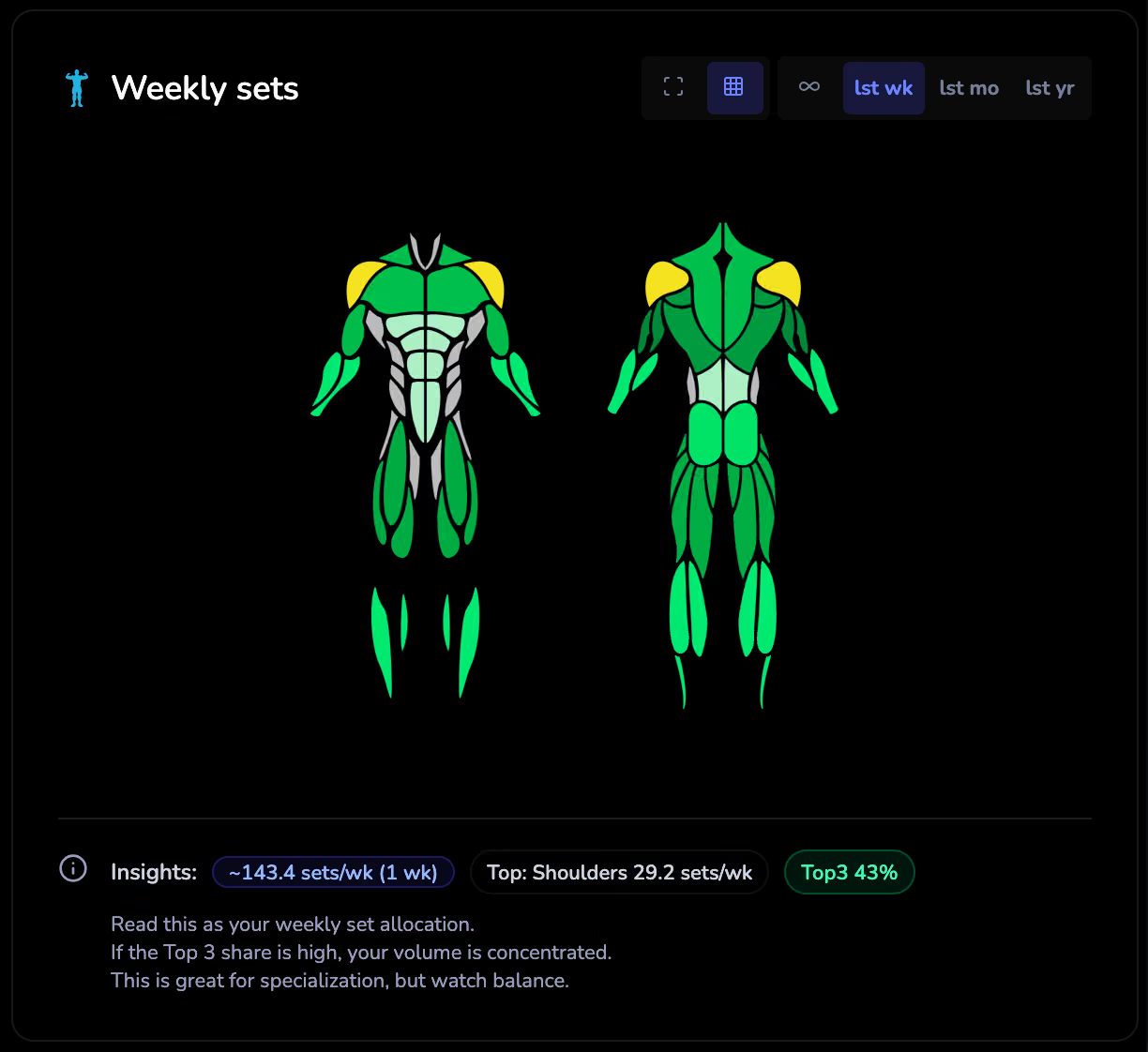
Rolling 7-day windows
The heatmap shows volume over a rolling 7-day window by default. This means the map reflects what you\u2019ve trained in the last week, not your entire history. As older workouts fall outside the window, their volume contribution fades. This helps you see your current training emphasis rather than a lifetime average.
You can adjust the window size (14 days, 30 days, or a custom date range) using the calendar filter on the dashboard. Longer windows smooth out day-to-day fluctuations; shorter windows give you a real-time picture.
Volume zone scoring
Each muscle on the heatmap is assigned a volume zone: Maintenance, Growth, or Overreaching. These zones are general guidelines based on exercise science literature and help you quickly assess whether each muscle is getting enough stimulus:
- Maintenance: Enough volume to maintain current muscle size and strength, but probably not enough to drive significant growth.
- Growth: Volume is in the range associated with hypertrophy stimulus. Most people training for muscle growth will want to see this zone for their target muscles.
- Overreaching: Volume is above typical effective ranges. Productive in short blocks but risky if sustained.
Zone thresholds are population-level estimates, not personalised prescriptions. Your individual response may differ.
How to use the heatmap
- Spot neglected muscles: If a muscle you want to grow shows no colour or a light maintenance zone, you may need to add volume for that area.
- Check balance: Compare left and right sides, front and back. Large asymmetries (e.g. chest gets far more volume than back) may contribute to postural issues or increase injury risk over time.
- Click for detail: Click any muscle on the heatmap to see exactly which exercises contributed to its volume and how much each exercise contributed. This helps you understand why a muscle is showing the colour it shows.
- Monitor over time: Watch how the heatmap changes week to week. A consistent pattern is good; wild swings suggest programme inconsistency.
- Plan your next block: Use the heatmap as a starting point when writing your next training programme. If your hamstrings have been in maintenance for weeks, that\u2019s a signal to consider adding volume.
Bench press heatmap: what your bench day really trains
A bench press heatmap shows your bench press volume distributed across the chest, front deltoids, and triceps. In LiftShift, every bench press set you log is split proportionally across those three muscles, so your heatmap reveals whether your bench days are actually growing your chest or mostly fatiguing your front delts and triceps. If your chest sits in a light zone while your front delts glow, consider close-grip or incline variations — then watch the heatmap shift over the following weeks.
Limitations
- The heatmap reflects volume, not stimulus. Two sets to failure produce a different training effect than two sets with 5 reps in reserve, even though they contribute equal volume. The heatmap treats them the same.
- Exercise-to-muscle mapping is an approximation. A bench press targets the chest, front delts, and triceps, but individual technique and anthropometry affect the actual stimulus distribution. The heatmap assumes a standard distribution.
- Custom or renamed exercises may not map to any muscle and won\u2019t appear on the heatmap. Using standard exercise names from your app\u2019s built-in library produces the most accurate results.
- Volume zone thresholds are research-informed estimates, not precise cutoffs. The line between maintenance and growth is fuzzy in practice.
- The heatmap does not account for non-gym activity. Manual labour, sports, or daily movement that stresses muscles won\u2019t show up unless you log it.