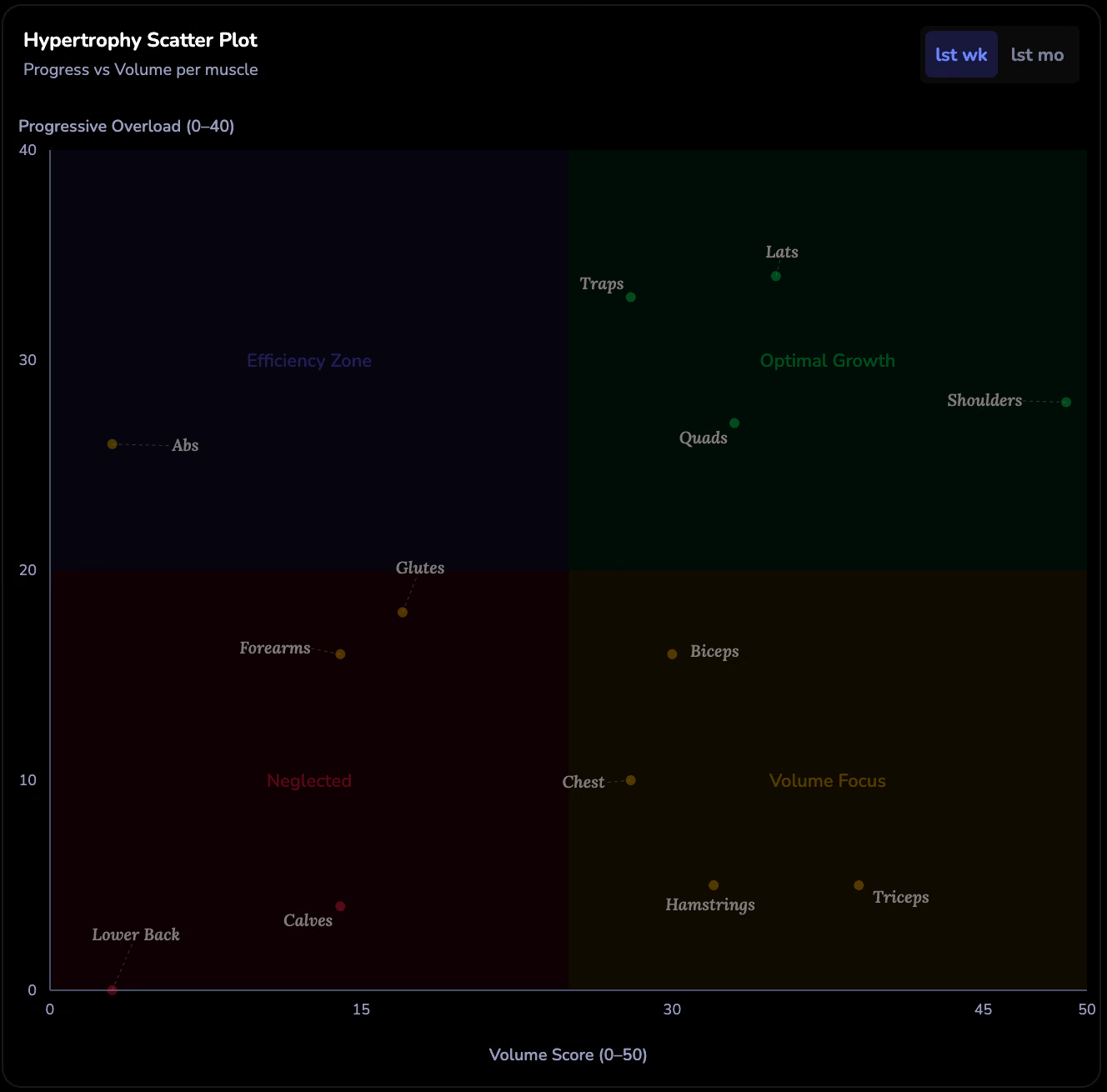

Hevy, Strong, and Lyfta are great at logging your workouts. But when it comes to understanding what your data actually means, their built-in charts leave you guessing.
Your app logs the work. Here’s what it misses.
Are your muscles balanced?
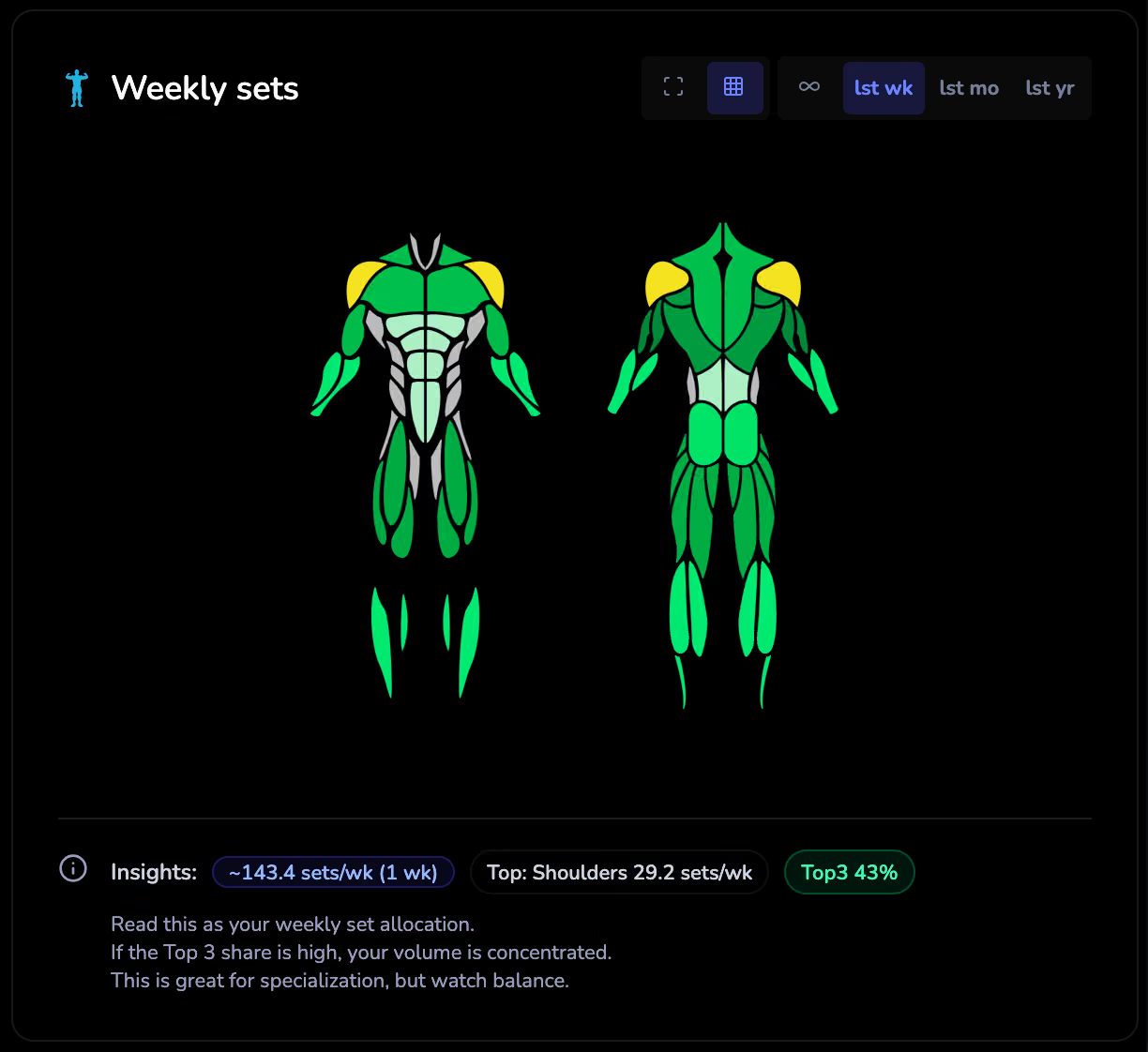
Most apps show a basic body map or a list of exercises grouped by day. None of them tell you: “You train chest 3x more than back.”
LiftShift’s interactive muscle heatmap uses rolling 7-day windows to match real recovery patterns. Click any muscle to see exactly which exercises contribute. Primary and secondary muscle involvement is weighted separately. You get a weekly sets-per-muscle breakdown with volume zone scoring (maintenance, growth, or overreaching) personalized to your training age.
Are you actually getting stronger?
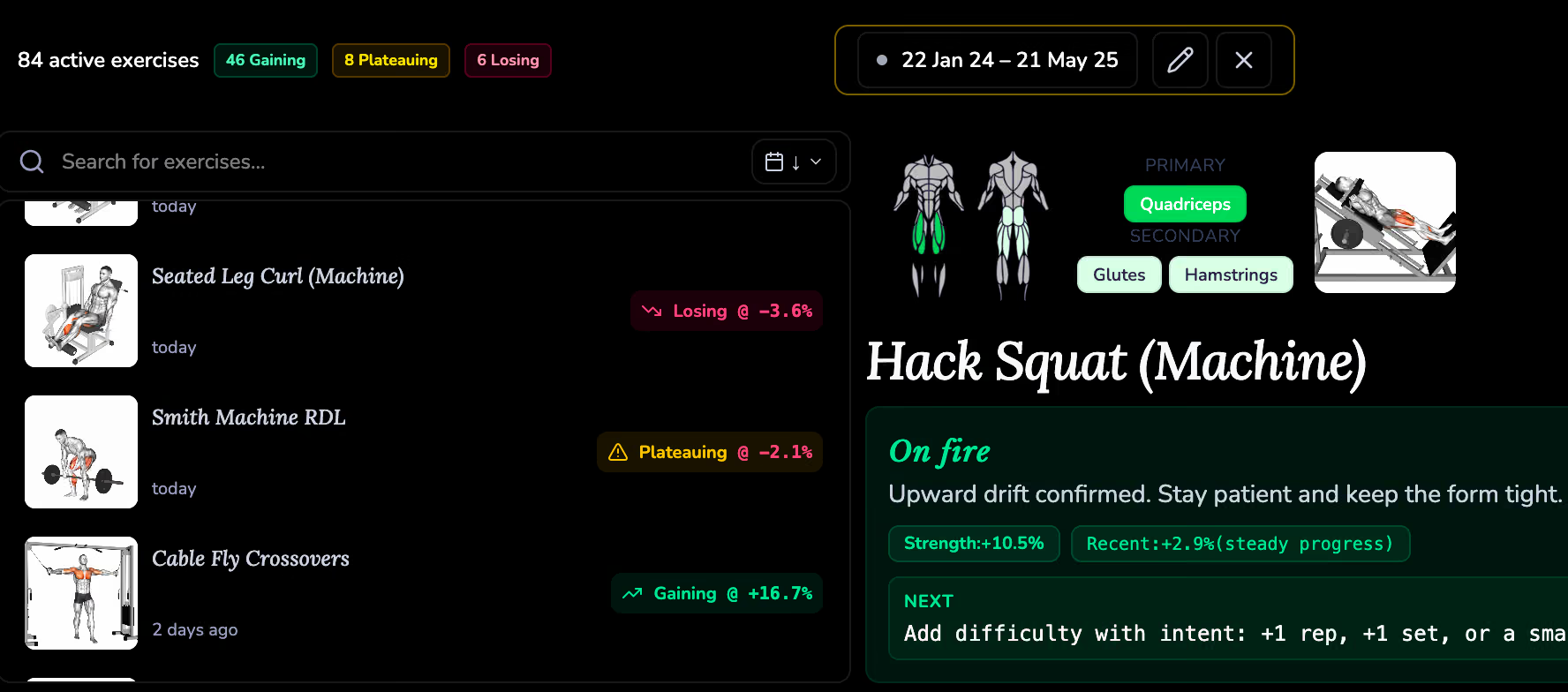
Your app might show a line chart of your bench press over time. But it won’t tell you if you’re plateauing, regressing, or making real progress, and it certainly won’t tell you what to do about it.
LiftShift labels every exercise with a clear status: Getting stronger, Plateauing, Taking a dip, or New. When you’re stuck, you get a tiny actionable suggestion: “add 1 rep to your first set” or “bump the weight 2.5 kg.” It also detects premature PRs (big jumps you couldn’t sustain) and PR droughts (no new best in over 2 weeks).
What happened inside your last workout?
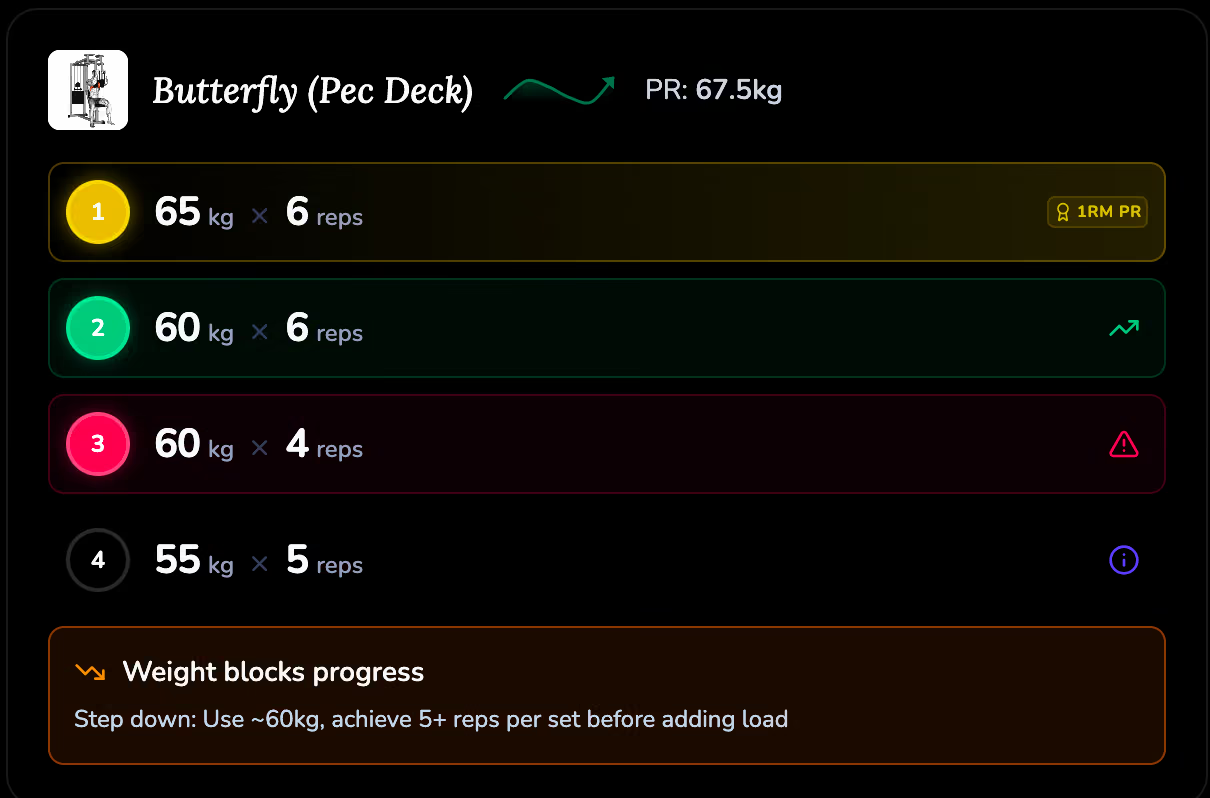
Your logging app shows sets and reps. It doesn’t tell you that your third set dropped too fast, or that your weight jump was premature, or that your back-off set was an effective way to add volume.
LiftShift gives set-by-set coaching feedback across 19 scenarios. Each set gets a short badge (“Normal Fatigue,” “Too Aggressive,” “Good Reset”) and a tooltip with exact numbers. Beginners learn how to progress faster. Experienced lifters spot patterns they’d miss.
What if you could ask an AI about your training?
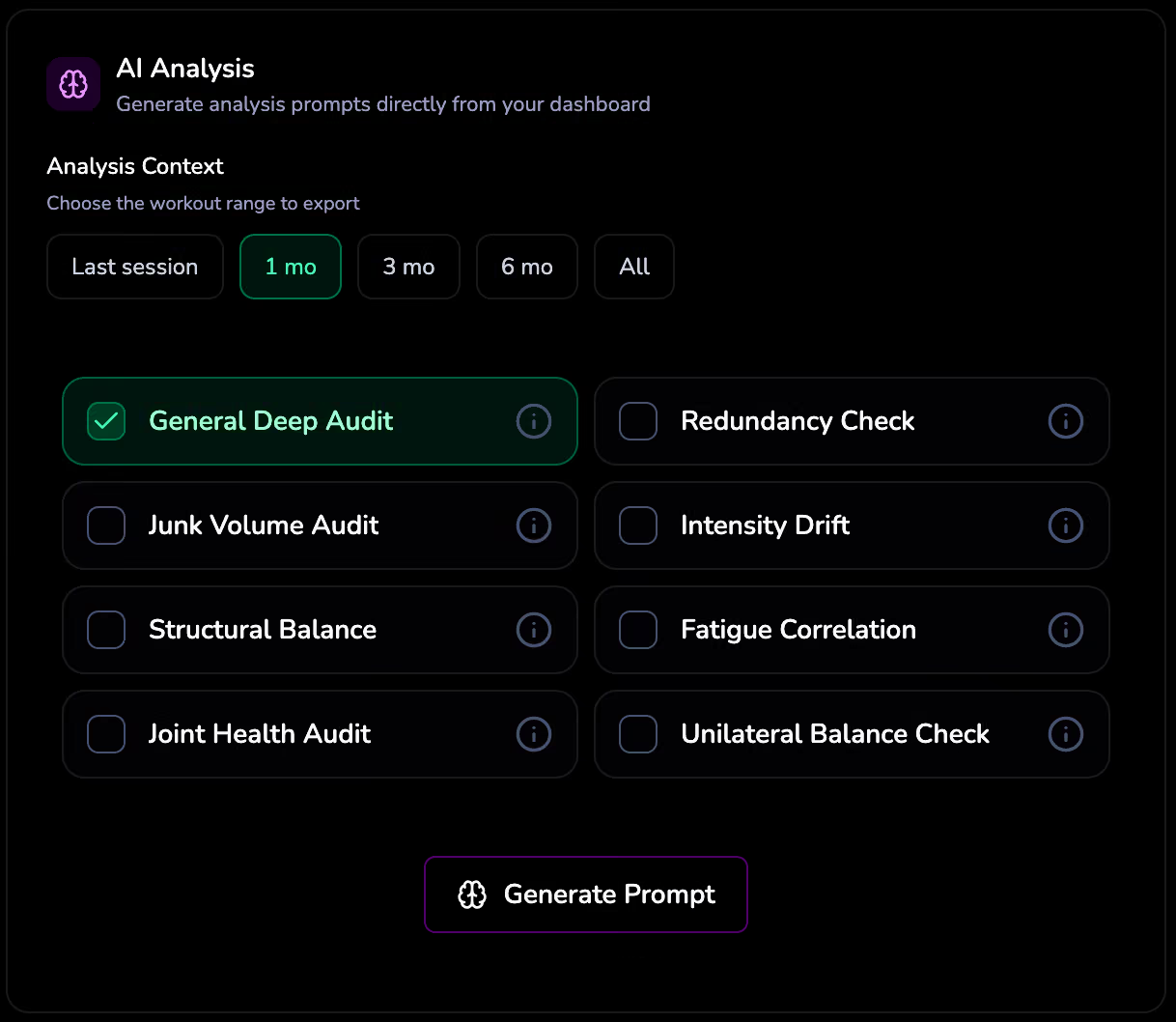
LiftShift can export your full structured training data, sets, exercise stats, trends, in a format designed for AI analysis. Paste it into any AI and ask anything: “Do I have any junk volume?” “Is my push-pull ratio healthy?” “Are my elbows at risk?” Or write your own custom prompt.
What about comparing different training blocks?
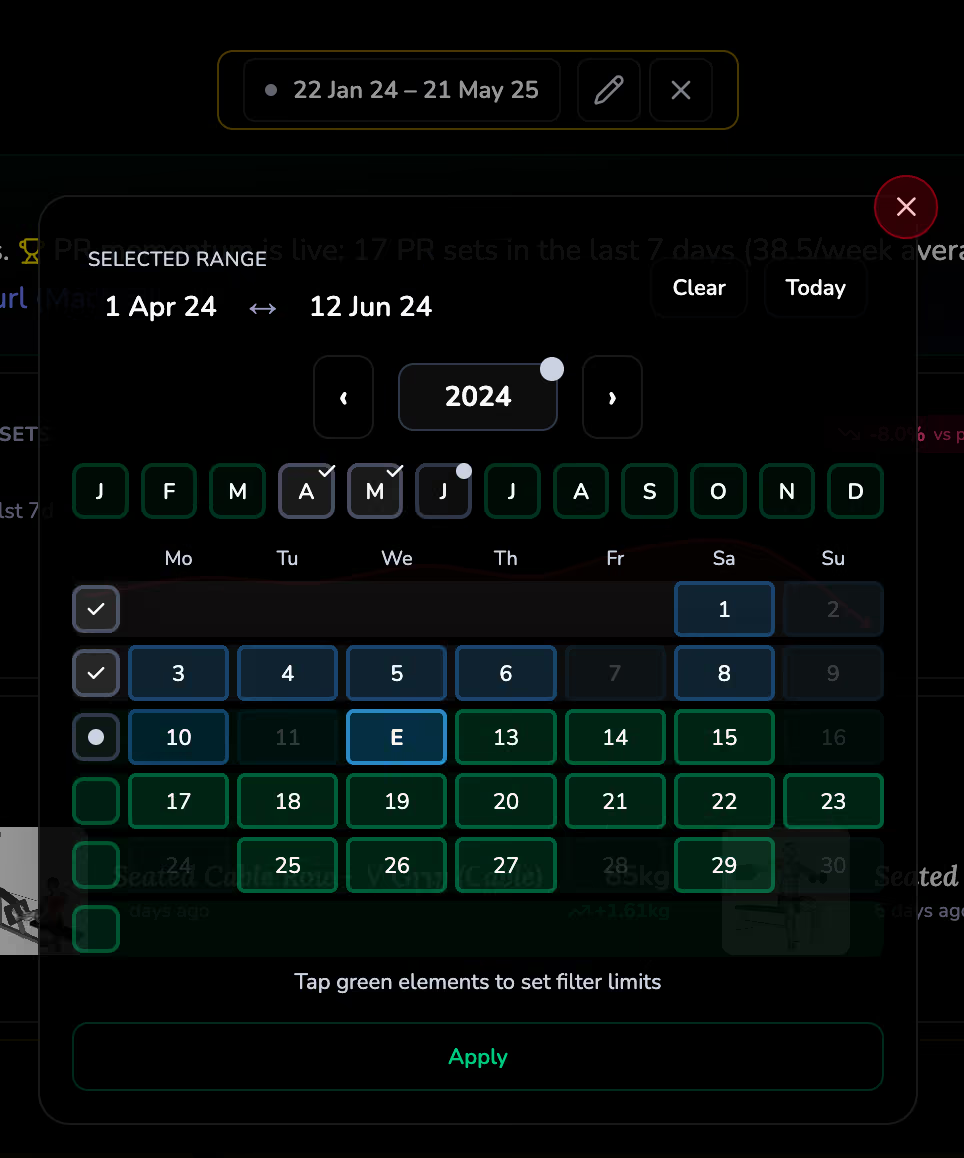
Most apps show you all-time data or a fixed window. LiftShift’s calendar filtering lets you pick any date range, last month, all of 2025, a single week, and every chart, metric, and insight recalculates for just that window. Compare blocks of training in seconds.
Try LiftShift
All of the above is completely free. No account needed. Your data never leaves your browser.
Open LiftShift →What about combining apps?
Switched from Strong to Hevy? Or use both? LiftShift merges data from multiple sources into one unified dashboard. Your exercise names are normalized automatically. No manual spreadsheet merging.
Lifetime Progress tracking
Every muscle gets a 9-tier journey from Seedling to Legend based on your cumulative sets. See estimated time to your next milestone. It gamifies consistency, and shows you which muscles have the deepest training history.